

The challenge
The client had a house full of things to sell and no efficient way to sell them. Every item meant the same slow chain: work out what it is, research what it's worth, take photos, write a post, answer questions, and remember what was paid and what it sold for.
They started with an AI chat assistant: upload a photo, ask for a Facebook Marketplace post, a price and a minimum to accept. It proved the idea but didn't scale. Every item was a fresh conversation, nothing was saved, and there was no record of profit.
- Pricing was guesswork. A generic suggestion couldn't tell a signed original from a print, or a name brand from a look-alike.
- Writing posts was repetitive. Three marketplaces, three formats, and it had to sound like a person, not a salesperson.
- Photos took effort. Oversized phone files, cluttered shots, and a clumsy route into Facebook's photo picker.
- Nothing connected. No single place showed what was bought, listed, sold and earned.
Our approach
The goal started as decluttering and turned into a small resale business, so we built in two phases around what the client needed next.
Phase one: sell what's already in the house
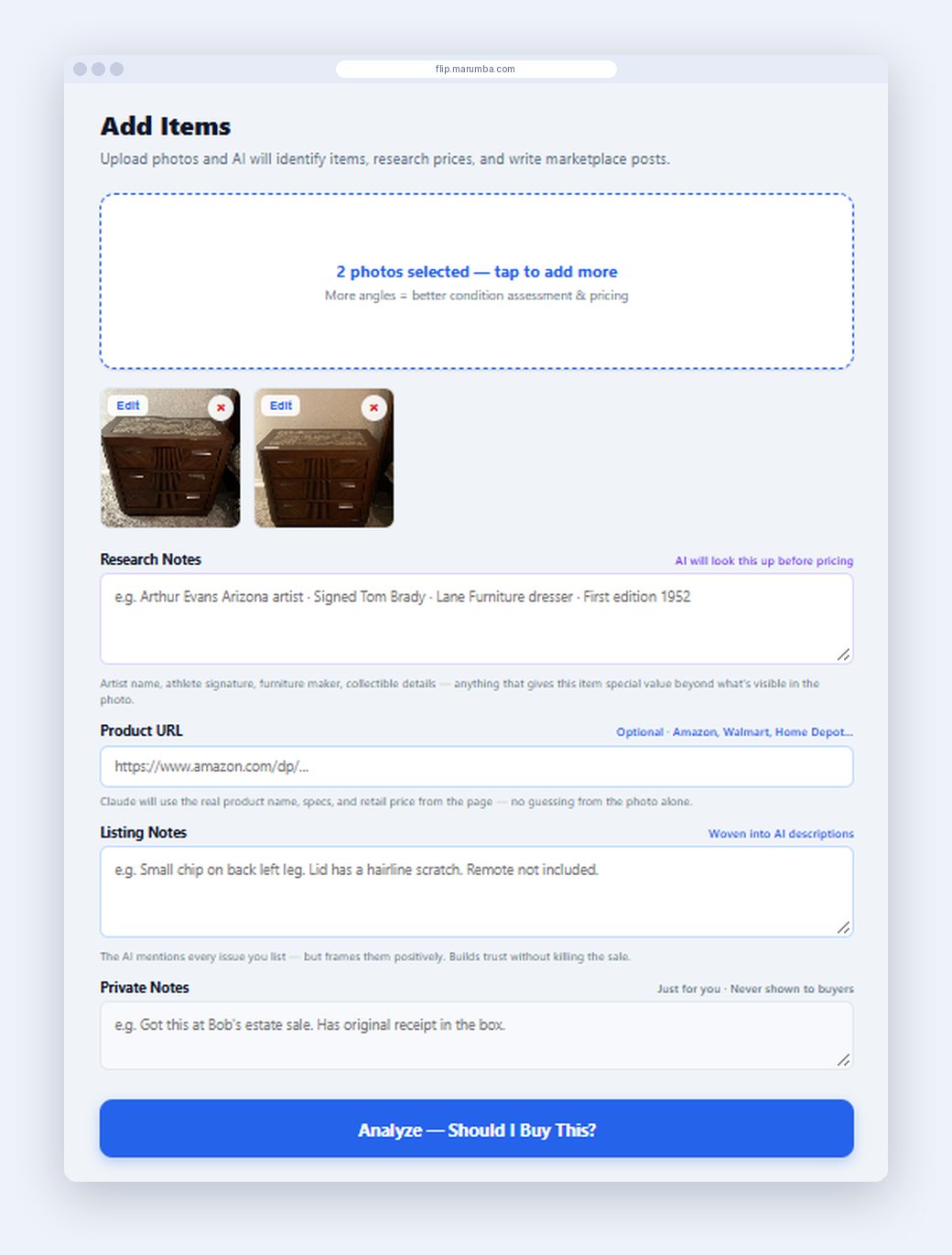
Photograph an item and get back a post with real product details, a link to the retail version, a price to list at and a floor price to accept.
Phase two: buy smarter, then sell
Once listing was easy, the client started buying at auctions and from other sellers to resell. That raised new questions the app had to answer before any money was spent: is this worth buying, what's the most I should pay, and is it worth fixing up first?
Five requirements shaped the build: work from a phone, because items are photographed where they sit; price from real market evidence, not a model's guess; write like a person, not an ad; keep every item's cost, price and profit in one place; and stay private, with invite-only accounts and each user's own data.
We shipped a working first version on day one, then 103 updates over four months, each one prompted by something the client ran into while selling. Every update went live automatically two to three minutes after it was saved.
The solution
FlipSense replaces the whole manual chain with one workflow that starts at the camera and ends at a profit figure.
Photo to price, grounded in real listings
The AI identifies the item from one or more photos, then researches it with live web searches: a nationwide baseline first, then local comparable listings, up to 10 searches per item. A brand-match check stops it from citing look-alike products, and a research-notes field lets the client add what the camera can't see, like an artist's signature or a maker's mark.
As-is versus fixed-up
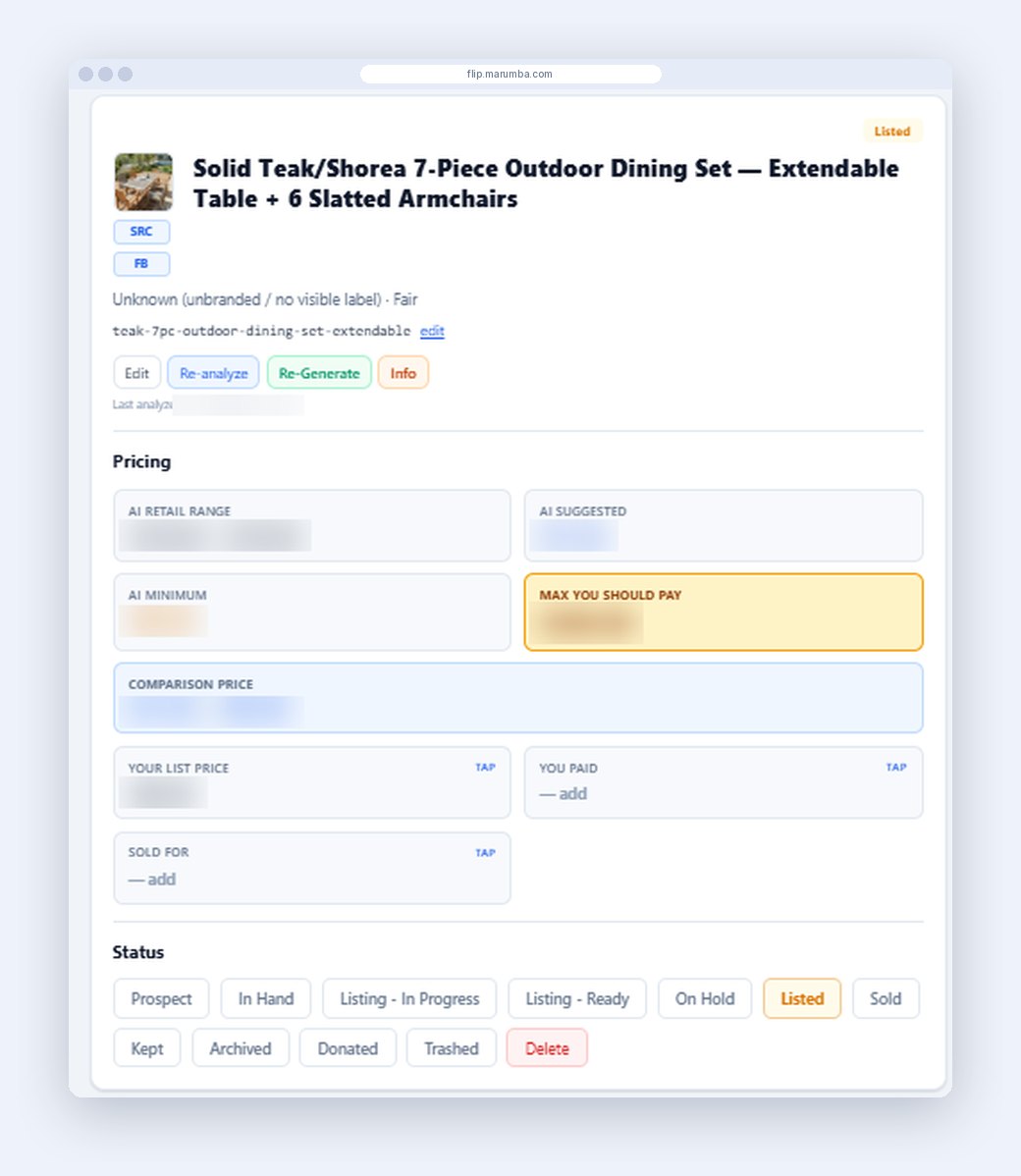
For items that need work, the app prices them both ways, estimates the repair cost and says whether fixing up is worth it. A Comparison Price line shows both prices side by side, so the client picks a list price with the full picture. For buying, a Prospect mode analyzes an item before purchase and returns a "max you should pay" figure.
Listings that read like a person wrote them
One tap writes posts for Facebook Marketplace, Craigslist and OfferUp in a plain first-person voice, with a reusable closing line and a private notes field the buyer never sees. Quick-copy fields hand over the title, price and condition. Product links pasted from retail sites are read automatically, even pages that need a full browser to load.
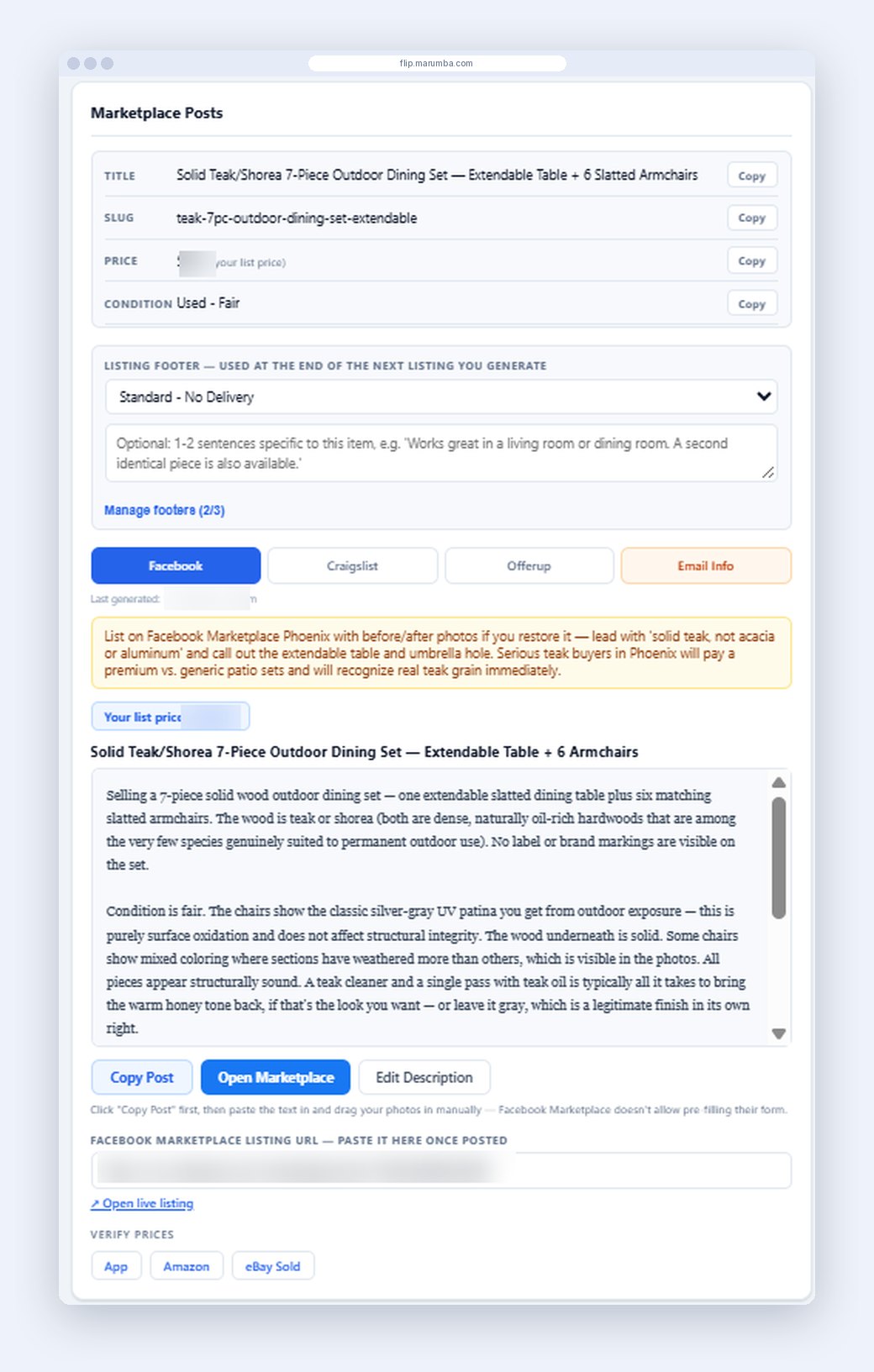
Photo and video help
Rotate, flip and crop tools; AI-staged photos that place the actual item in a realistic room; drag-and-drop ordering; one-tap downloads for Facebook's photo picker; and a teleprompter that records the roughly 60-second video Facebook recommends, from an AI-written script.
Tracking from purchase to sale
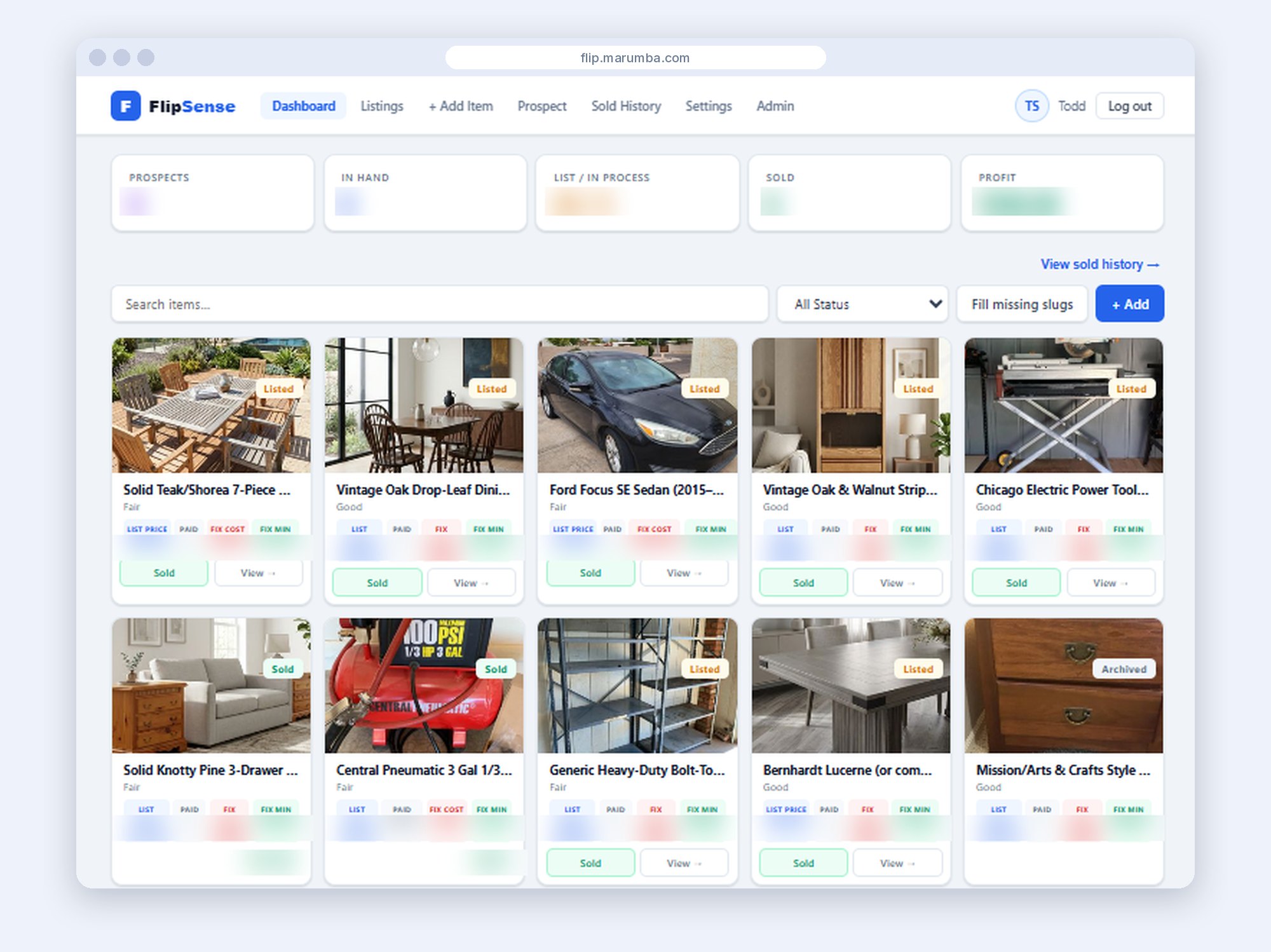
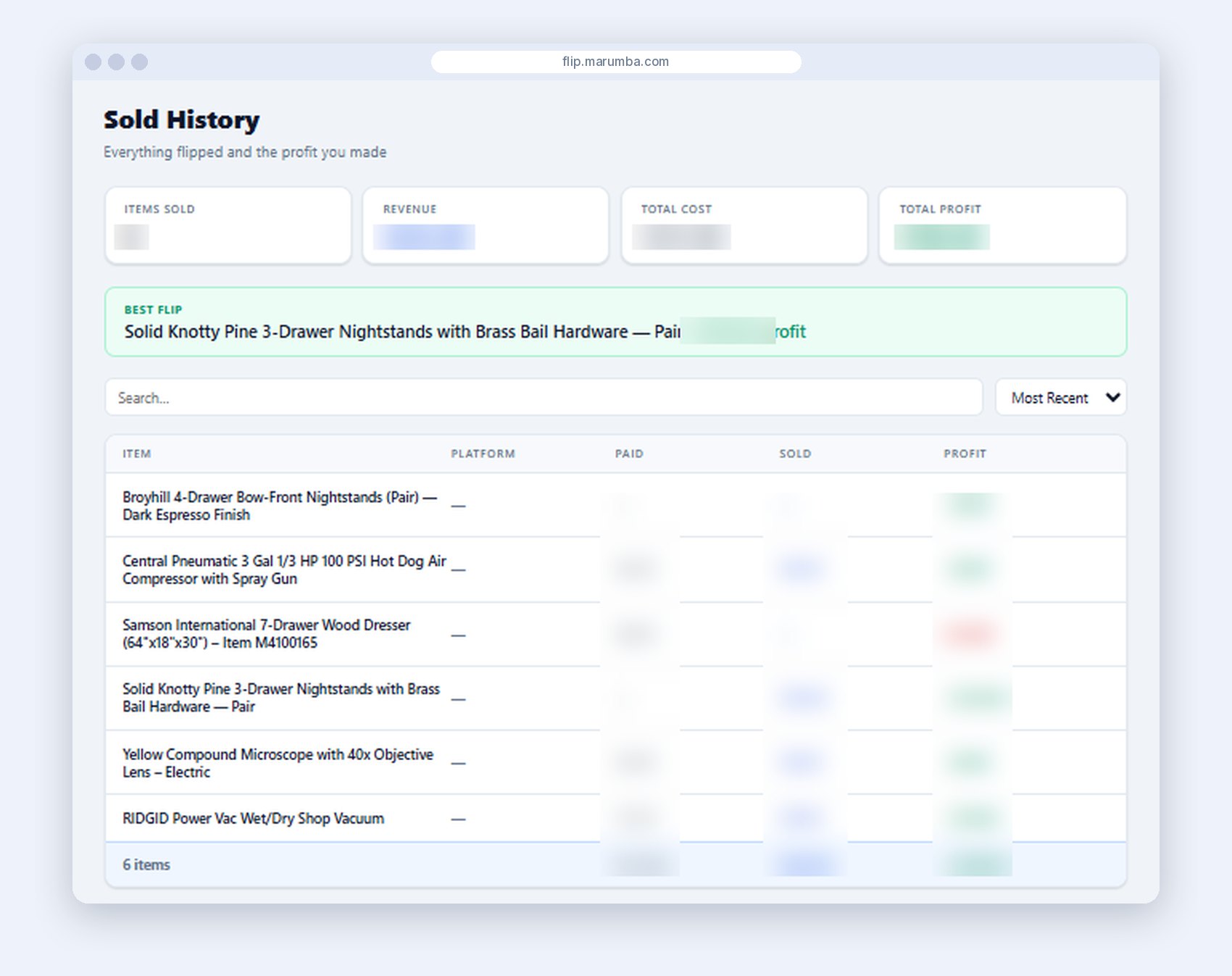
Every item moves through a status flow (prospect, acquired, in progress, listed, on hold, sold, kept) with cost, list price, sale price, platform fee and profit recorded. An automation API lets other tools pull finished listing drafts and write back the posted link and sold price.
Problems solved along the way
- Look-alike prices. A strict brand-match rule and the two-step search mean every price rests on a verified comparison.
- Odd AI answers. When the AI replies in prose instead of structured data, the app spots it and asks again.
- Dropped phone signals. Slow analyses run as background jobs the phone checks on, so nothing is lost.
- Privacy and cost. Invite-only access, and each user can bring their own AI key, stored encrypted.
It runs on a React front end that installs like an app, a Node.js back end and SQL Server, with Anthropic's Claude for image analysis, price research and writing, on the client's own server with automatic deployment.
The results
As of November 17, 2026, the client has tracked 87 items, 44 of them listed or in progress, and marked 6 sold. Research that used to be a task of its own takes about 30 seconds, and the client says the AI's prices land close to what items actually sell for. Their approach: list slightly above the suggestion, then discount so the buyer feels they got a deal.
"The tool they created has been invaluable for my company. The time we used to spend doing research on items is now a 30 second task. Snap a few pictures, push a few buttons, and the item is instantly for sale. Unbelievable." (The client)
What's next
FlipSense was built for one business, and it works. The client now sees a chance to offer it to other resellers, and a paid tier is in testing. The lesson we'd take to any project: ship the smallest working version first, and let real use decide what comes next.
Want results like this?
Tell us about your business and what you want your website or application to do.