
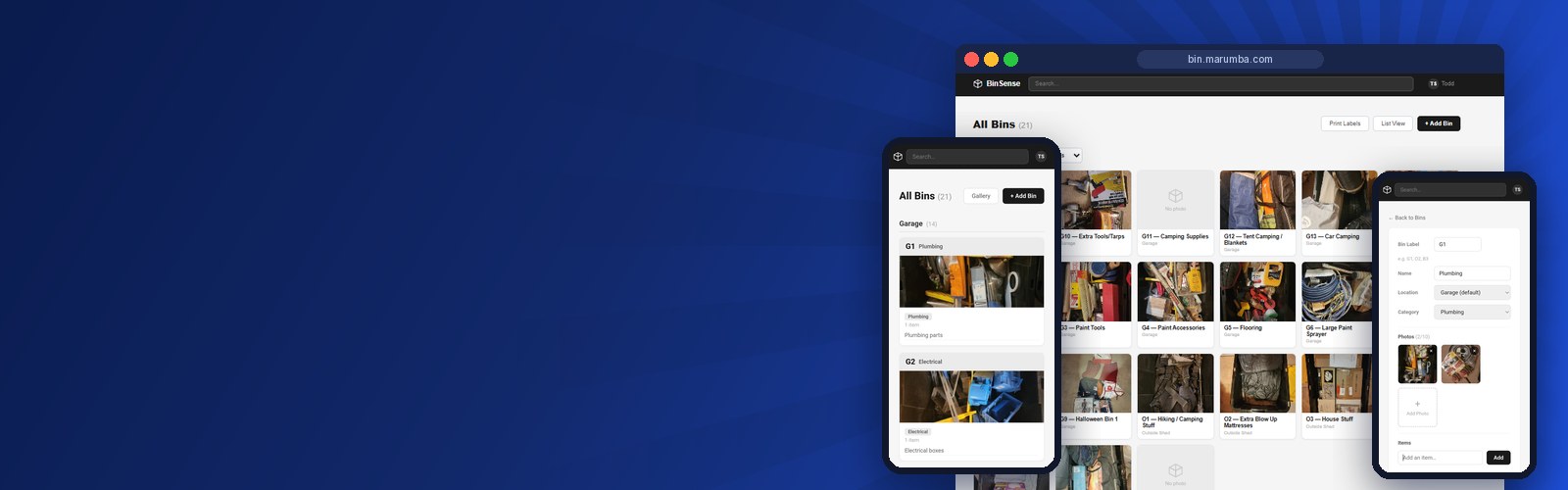
The challenge
The storage had outgrown anyone's memory. Rows of identical bins sat in the garage and the sheds: holiday decorations, camping gear, tools, keepsakes. Finding one thing meant pulling bins off shelves and opening them one at a time, and what was inside any given bin changed every season as things were added, borrowed and put back.
Off-the-shelf inventory apps didn't fit. Most are built for warehouses or online stores, charge a monthly subscription, and keep household data on someone else's servers. The client wanted something simpler that they owned outright:
- A label on every bin and a record of exactly what's inside it.
- Photos of the contents, so a bin can be recognized at a glance.
- One search box that answers "where is the tent?" in seconds.
- Something quick to use from a phone, standing in the garage, not a spreadsheet on a desktop.
- Hosted on their own server, with no recurring fees.
Our approach
We built BinSense as an installable web app. It sits on the phone's home screen and behaves like a native app, with no app store involved.
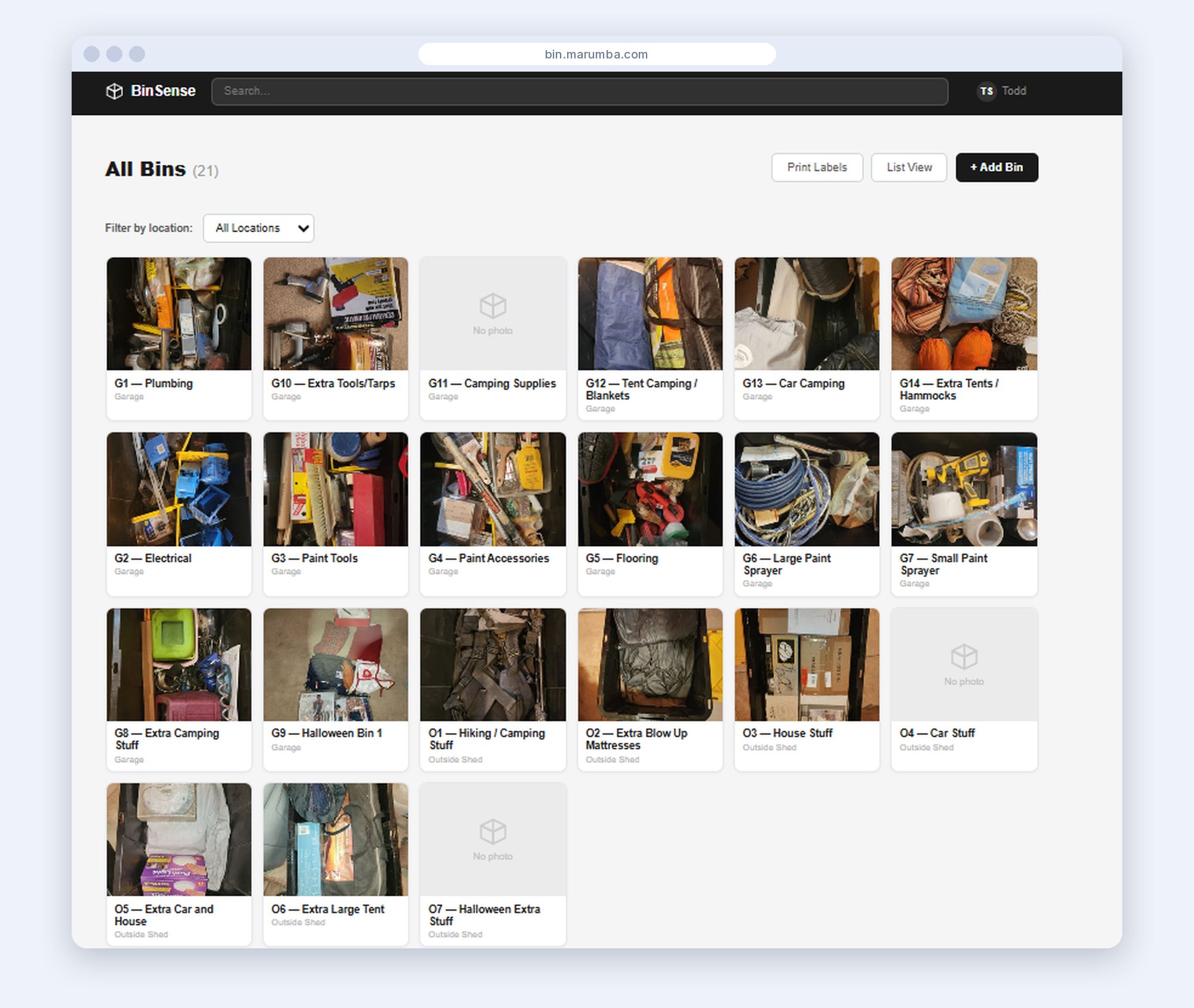
Every bin gets a record
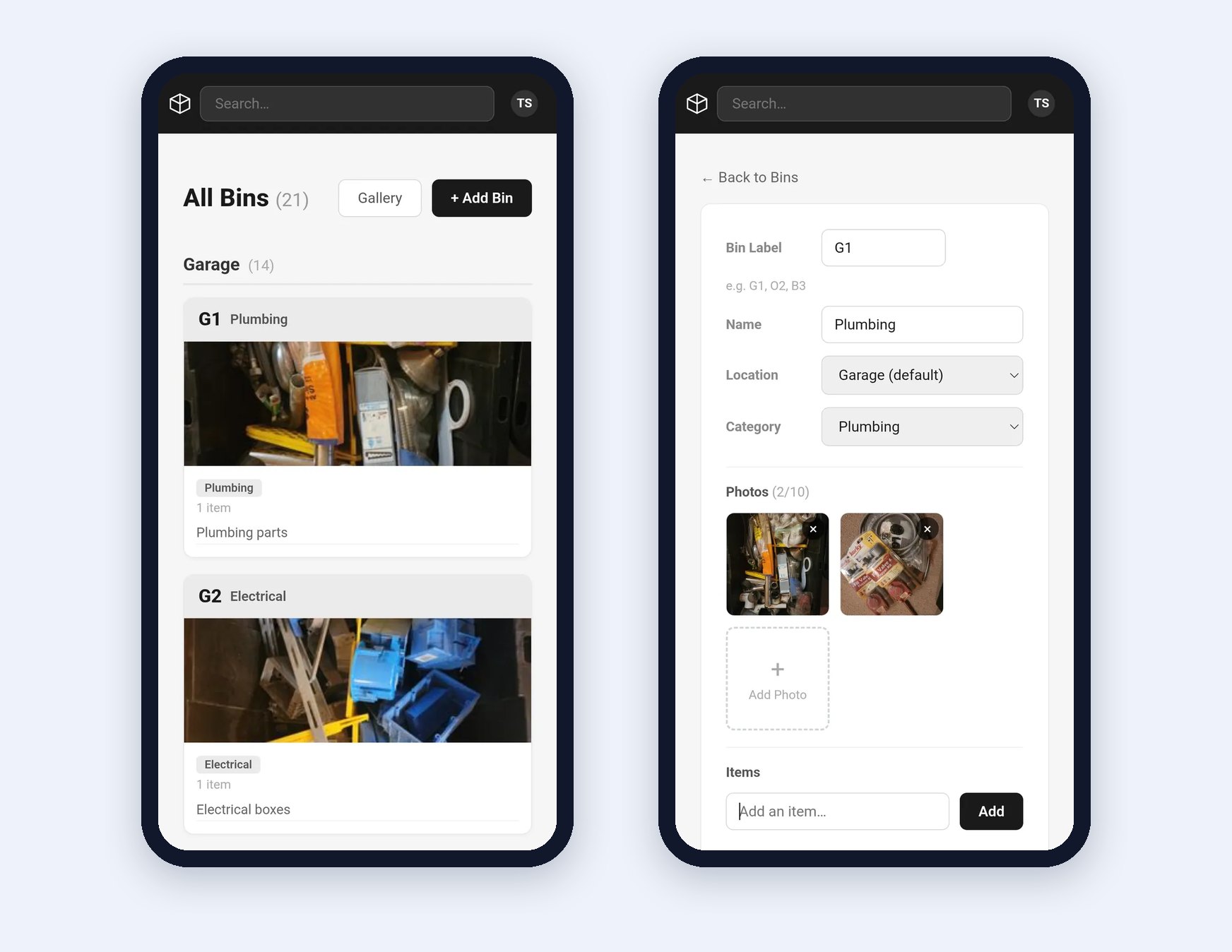
Each bin has a short label that matches a sticker on the tub (G1, O2, B3), a name, a location, a category and a full item list. The main page groups bins by location and sorts them by label, so the app mirrors how the bins actually sit on the shelves.
Photos do the talking
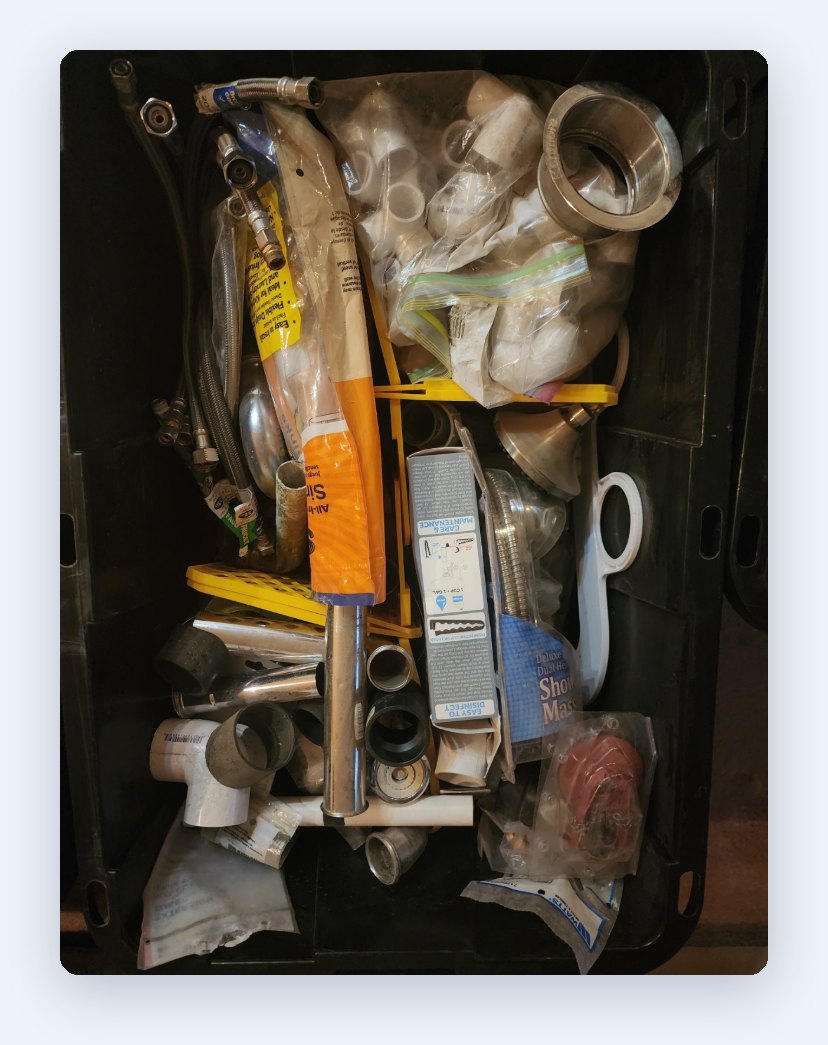
Each bin holds up to 10 photos. For a bin of camping gear, that means a picture of each tent, not one blurry group shot.
One search finds anything
A single search box matches item names, categories, locations and bin labels at once. Type "tent" and BinSense returns the bin it's in and where that bin lives.
Built for the whole household
Invite-only accounts with secure sign-in, an admin page for managing users, printable bin labels, and a read-only offline mode for when the garage Wi-Fi drops.
Simple to run, owned by the client
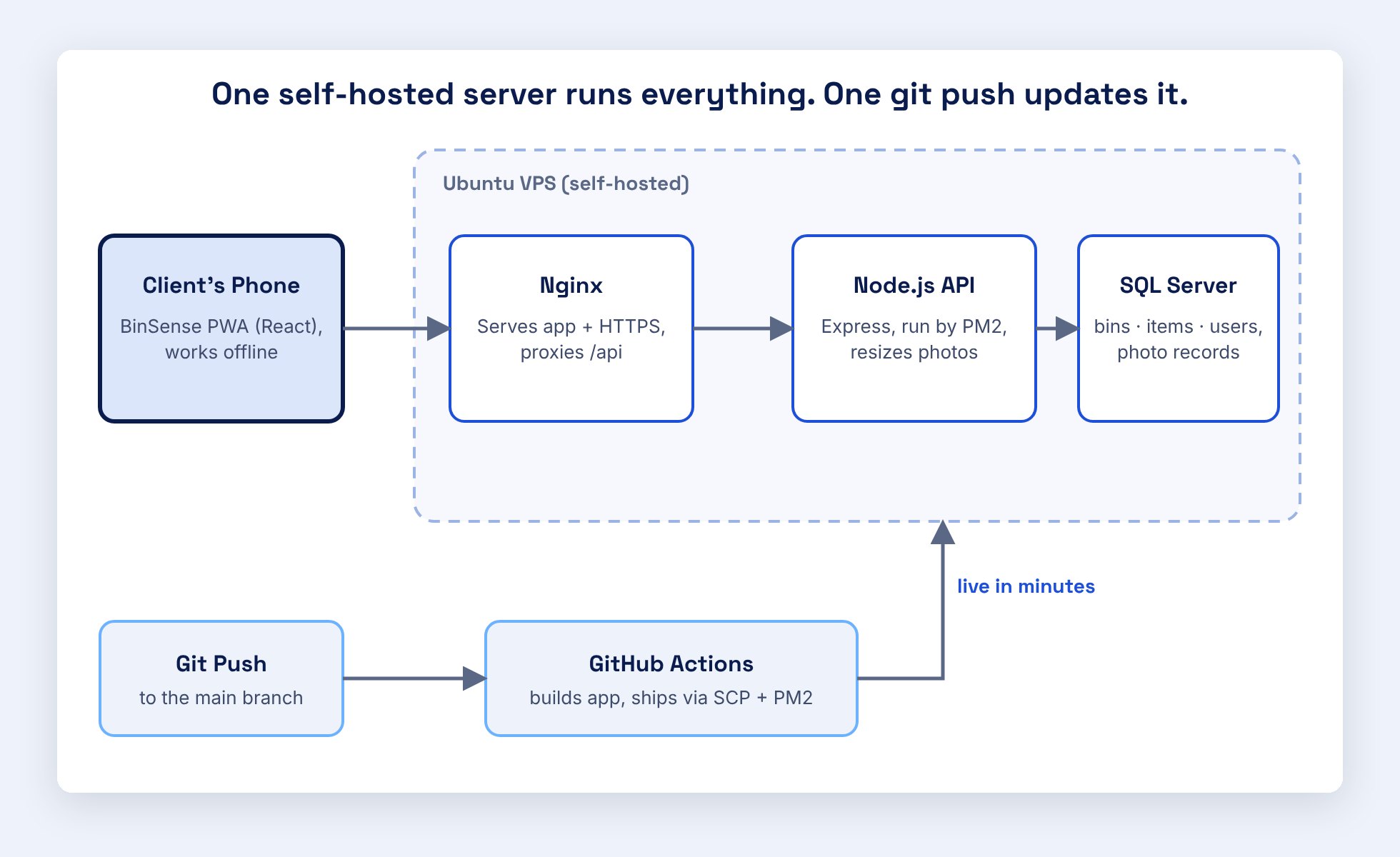
Under the hood it is deliberately simple: a React app on the phone, a Node.js API that also resizes photos, and a SQL Server database, all on one Ubuntu server the client owns, with Nginx in front. A commit to the main branch triggers GitHub Actions, which builds the app, ships it to the server and restarts the API. Changes reach the client's phone within minutes, with no manual steps.
The solution
The first version shipped quickly. Then the real work began: the client used BinSense every day, on a real phone, standing in a real garage, and every rough edge became a work item. Over several rounds we:
Rebuilt the navigation for a phone
The first, desktop-style menu didn't fit a phone screen. We cut it down to three things: the logo, a live search box and the account menu. Settings and admin moved onto a single account page.
Made locations and categories first-class
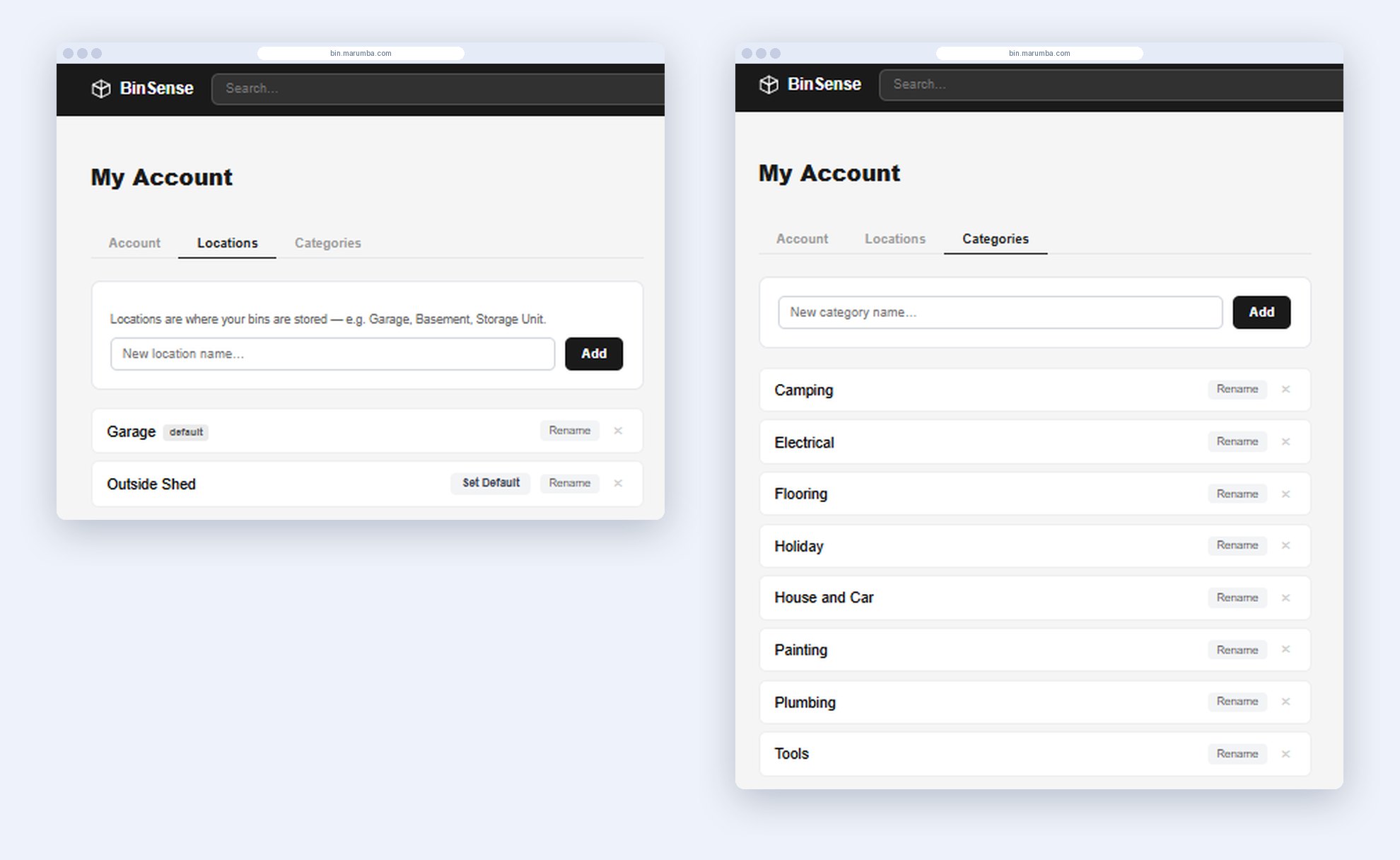
New locations and categories can be created right from the add and edit forms, the bins page groups by location, and location is part of search. When a bin moves to another shelf or shed, its location is one dropdown away, and the main page regroups on its own.
Fixed a cache that froze phones on old versions
The app's offline cache was keeping people on the first version they ever loaded. We rewrote it to check the network first and detect updates, so every release now reaches every phone right away.
Replaced delete prompts that phones blocked
Delete confirmations used the browser's built-in popup, which home-screen apps on phones often block without saying so. A confirmation window inside the app fixed deletes everywhere.
Made photo uploads reliable
Phone photos of 3 to 10 MB were being rejected by the web server's 1 MB upload limit. Photos are now resized and compressed on the phone before they upload: a typical 8 MB photo leaves the phone at about 400 KB.
Smoothed the daily details
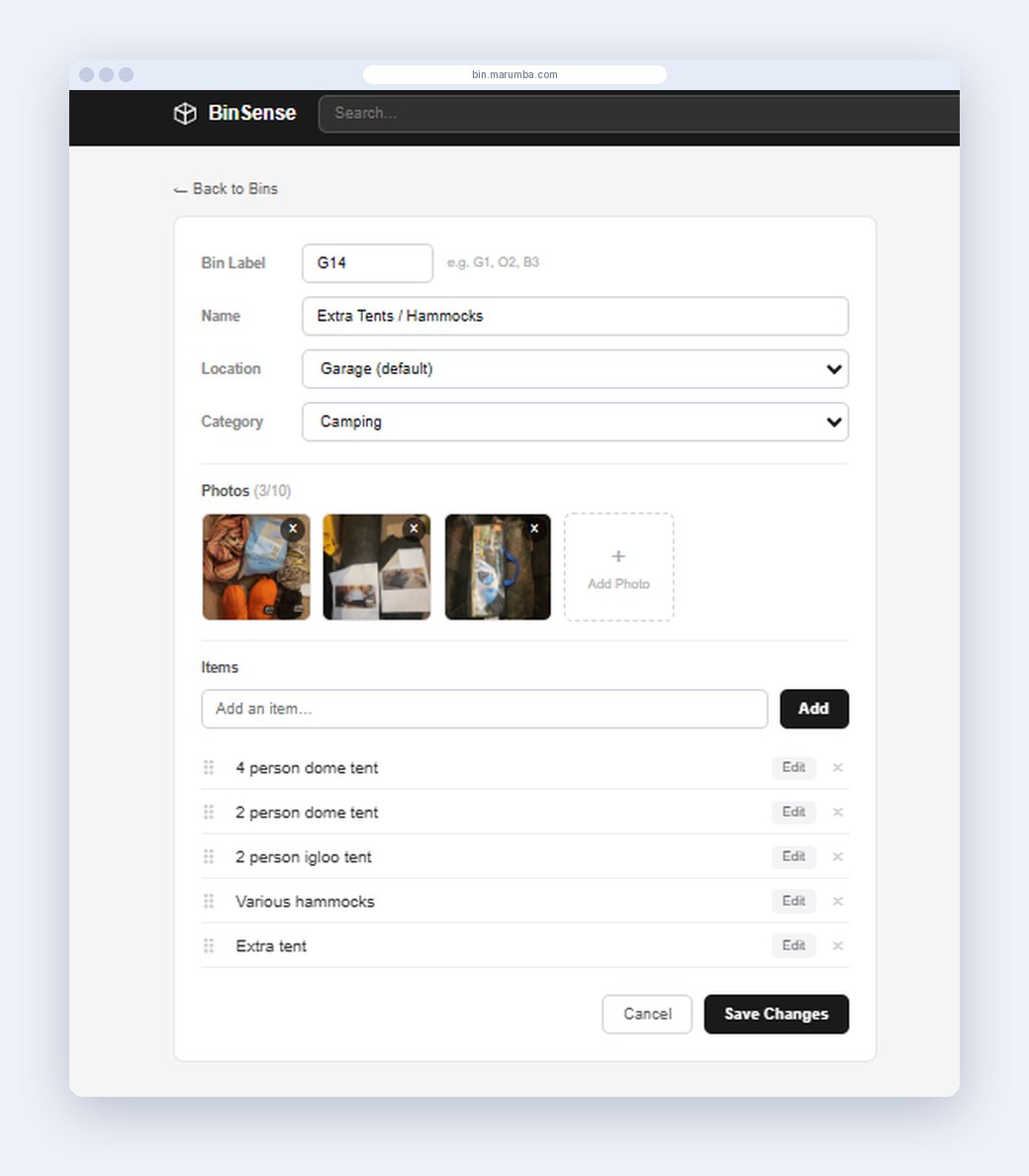
Drag-and-drop ordering of items, sorting that puts bin G2 before G10, picking photos from the camera roll as well as the camera, and clear error messages when something goes wrong.
The results
- Seconds, not searches. Finding an item went from opening bins one by one to typing a word. The answer comes back with the bin label and its location, plus photos to confirm it before a lid comes off.
- One search box, four fields. Items, categories, locations and bin labels, matched as you type.
- Under 60 KB of compressed app code. The app loads almost instantly, even on a weak garage signal.
- $0 a month in software fees. It runs on the client's existing server, with no subscriptions and no third-party data storage.
- 21 bins cataloged, shared by four household accounts.
How it's used today
Adding a bin takes about a minute, and finding something takes seconds. Because releases are automatic, BinSense keeps improving with nothing to install or update.
Want results like this?
Tell us about your business and what you want your website or application to do.